Wi-Fi in the school, only when it is needed
PoE-Sea switches the Wi-Fi access points on and off, classroom by classroom. The teacher decides with a wireless switch without battery, and the school or the municipality manages everything from the browser.
Less screen time, lower power consumption and a network that is closed when the school is closed.
Ask for an offer How it worksWhy manage the Wi-Fi of the school?
In most schools the Wi-Fi is on 24 hours a day, 365 days a year, even though the pupils use it a few hours a day.
Less screen time
The teacher switches the Wi-Fi on when the class needs the internet, and it goes off by itself after the lesson.
Screen-free periods, breaks and evenings are guaranteed by a weekly schedule, and the statistics show how long each classroom was online.
Read moreLower power consumption
An access point uses power day and night. A school is used about 1 300 of the 8 760 hours of the year.
PoE-Sea cuts the power of the access points the rest of the time: up to 85% less electricity for the wireless network, and less heat in the technical rooms.
Read moreBetter security
A Wi-Fi network that is off cannot be attacked. Outside school hours, at night and on weekends, the school network is not reachable from the car park.
The switches can be locked, and every switching on is logged: you see when and where the Wi-Fi was used.
Read moreThis is how PoE-Sea works
PoE-Sea works with the access points you already have, whatever the brand.
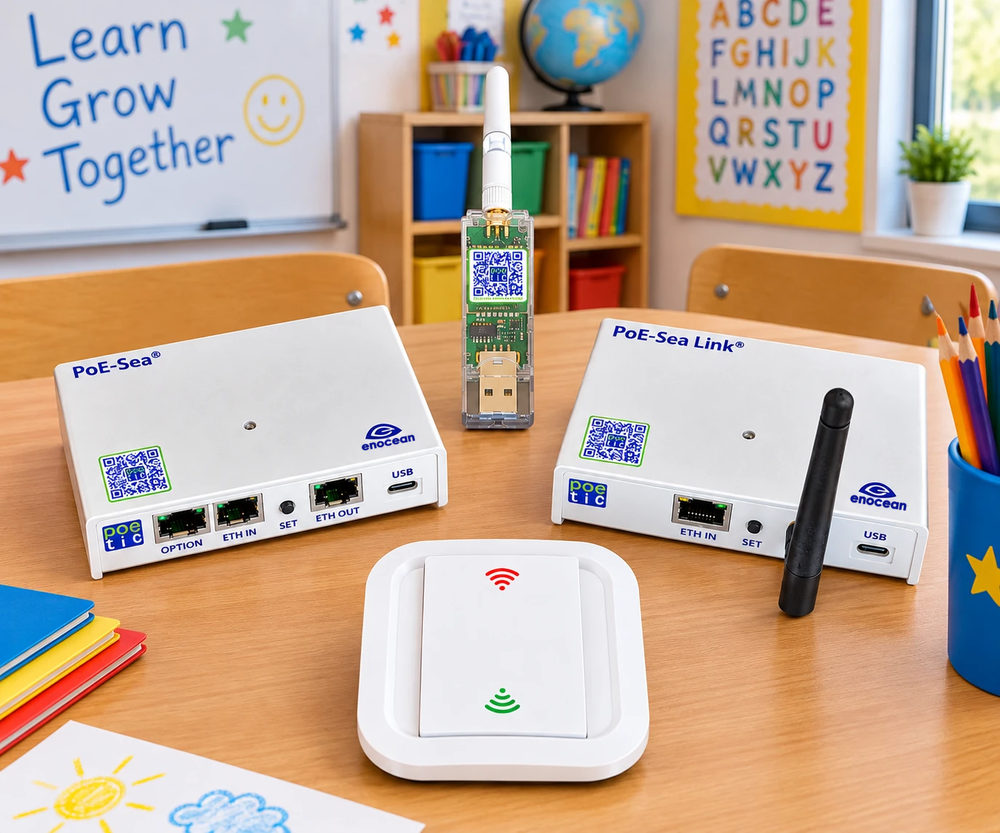
PoE-Sea+
Installed between the PoE switch and the Wi-Fi access point. When it cuts the PoE power, the access point is off: no Wi-Fi, no radio waves and no power consumption.
Switch without battery
An EnOcean radio switch on the wall or on the desk of the teacher. It takes its energy from the press of the finger: no battery to change, no cable to pull.
PoE-Sea Link
The gateway connects the PoE-Sea+ of the building to the PoE-Sea cloud service, for the remote control, the schedules, the statistics and the software updates.
Schedule and locks
Each PoE-Sea+ follows its weekly schedule, also without internet: Wi-Fi off at the end of the day, switches locked during breaks, at night and on weekends.
The PoE-Sea network
The PoE-Sea+ is placed between the PoE switch and the Wi-Fi access point of the classroom. The battery-free switch of the classroom sends its order by radio, and the PoE-Sea Link connects everything to the cloud service.
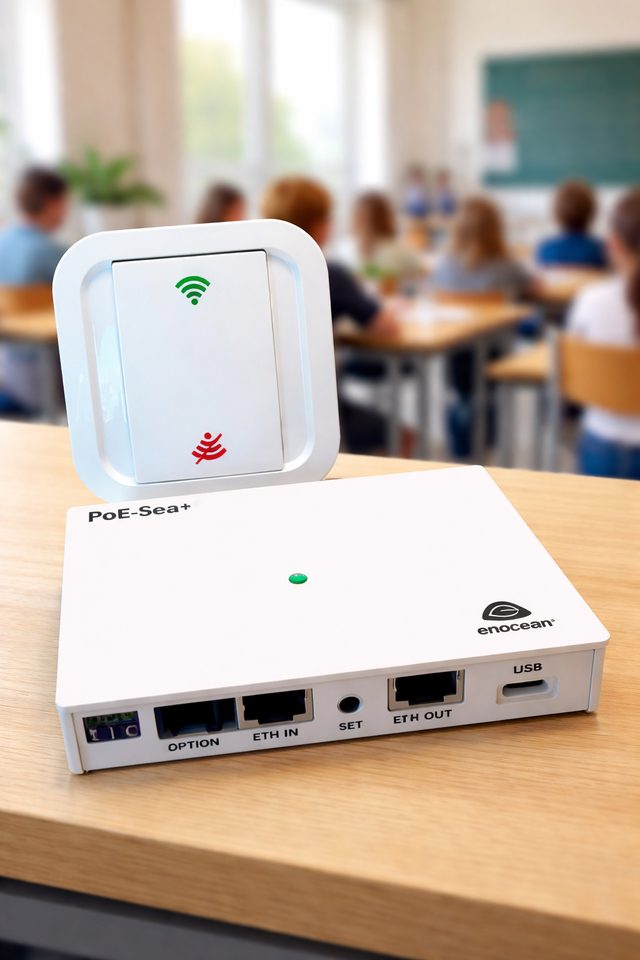
A simple gesture for the teacher
- Press on: the access point of the classroom gets power, and the Wi-Fi is back as soon as it has started.
- Press off, or let the delay run out: the access point is switched off.
- Up to 8 switches per PoE-Sea+, for example one by the door and one on the desk of the teacher.
- A time quota can limit how long the Wi-Fi can be on.
- No new network, no new password: the pupils' devices connect as before.
One overview for all the schools of the municipality
The PoE-Sea cloud service shows every building, every PoE-Sea+ and every switch. Change a schedule, switch a classroom on or off, or follow the use of the Wi-Fi, from any browser.
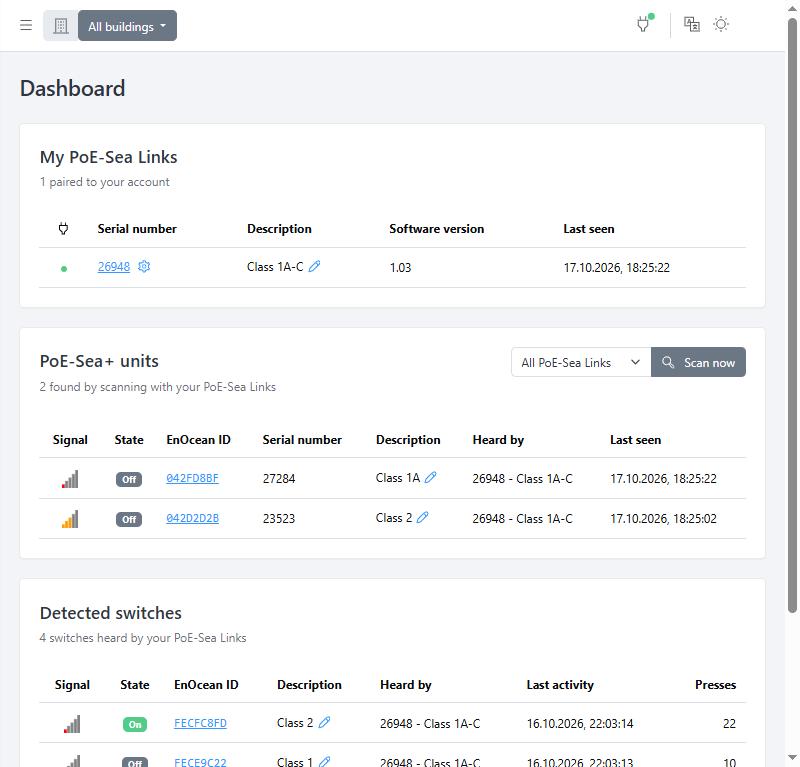
- Group the PoE-Sea+ by building, and filter all the views per school.
- Switch the Wi-Fi on or off remotely.
- Weekly schedules with up to 8 actions: on, off, lock or unlock the switches.
- Statistics and event log: activations, hours with Wi-Fi, the most used switches.
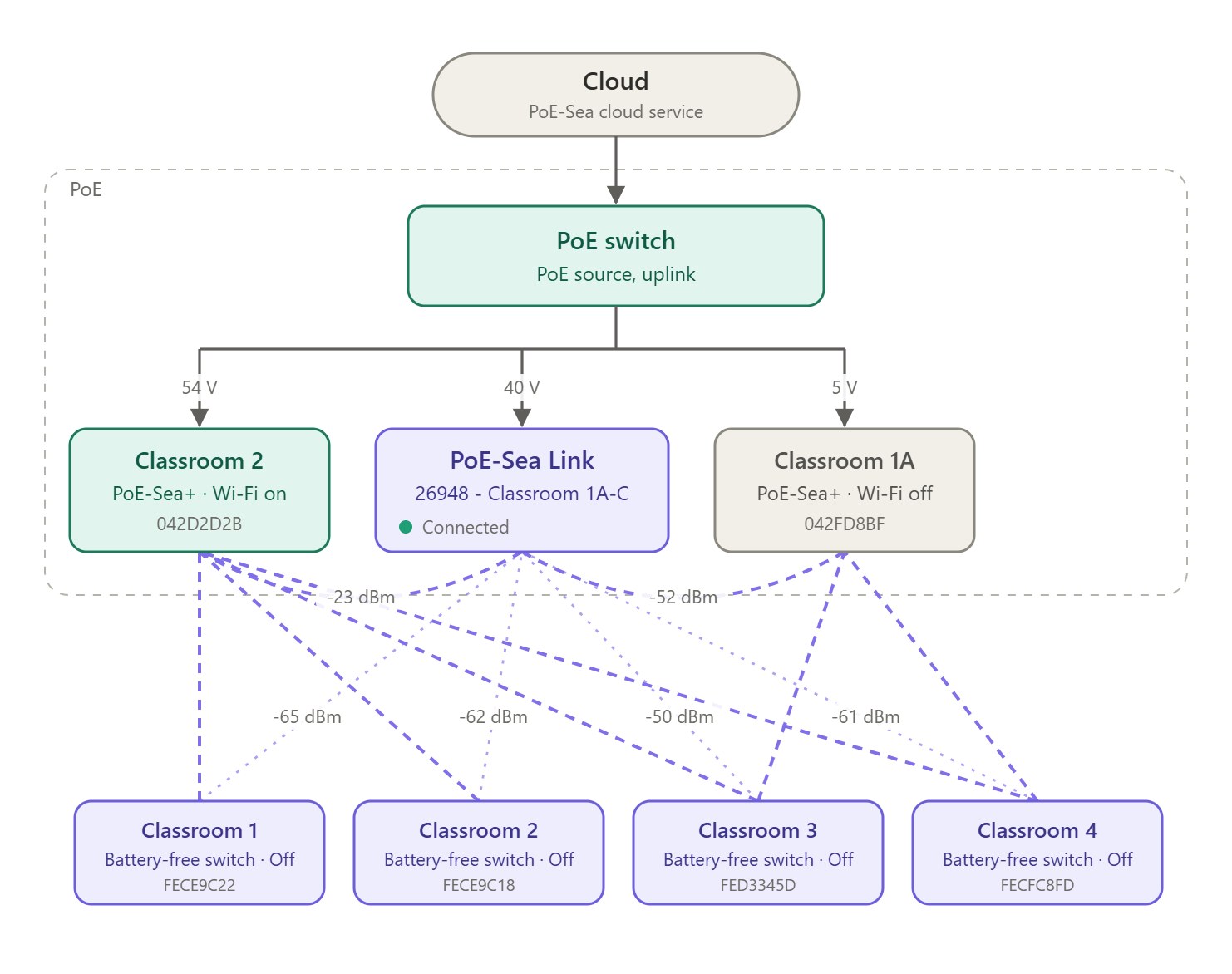
- Network map of each building, with the radio signal and the PoE voltage.
- User roles: read only, change the settings of the classrooms, or administer the buildings.
- Software updates of the PoE-Sea+ from the cloud service.
- In Norwegian, English, French and Dutch.
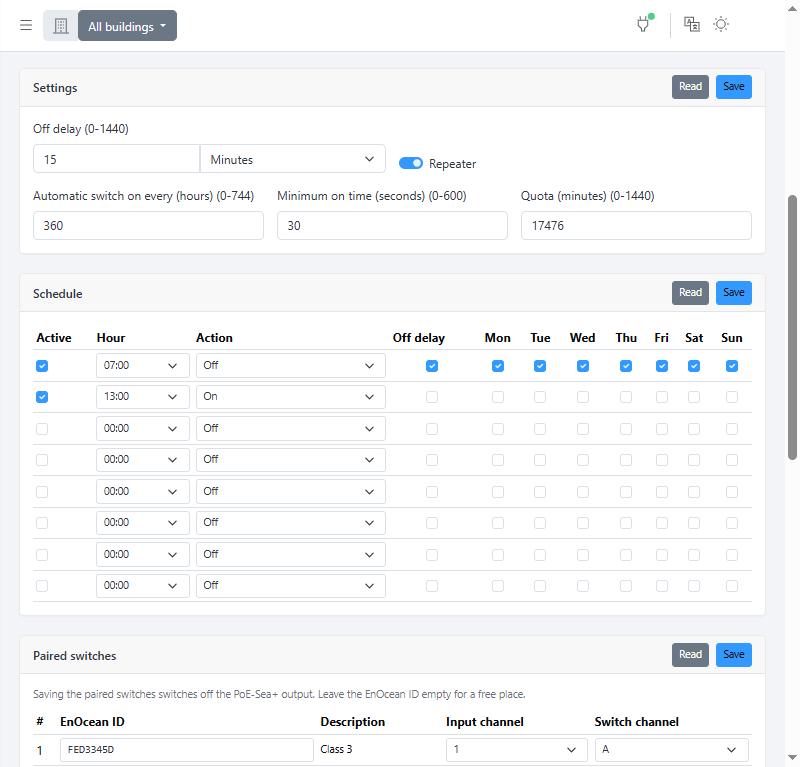
Delay before switching off, time quota and weekly schedule of a classroom.
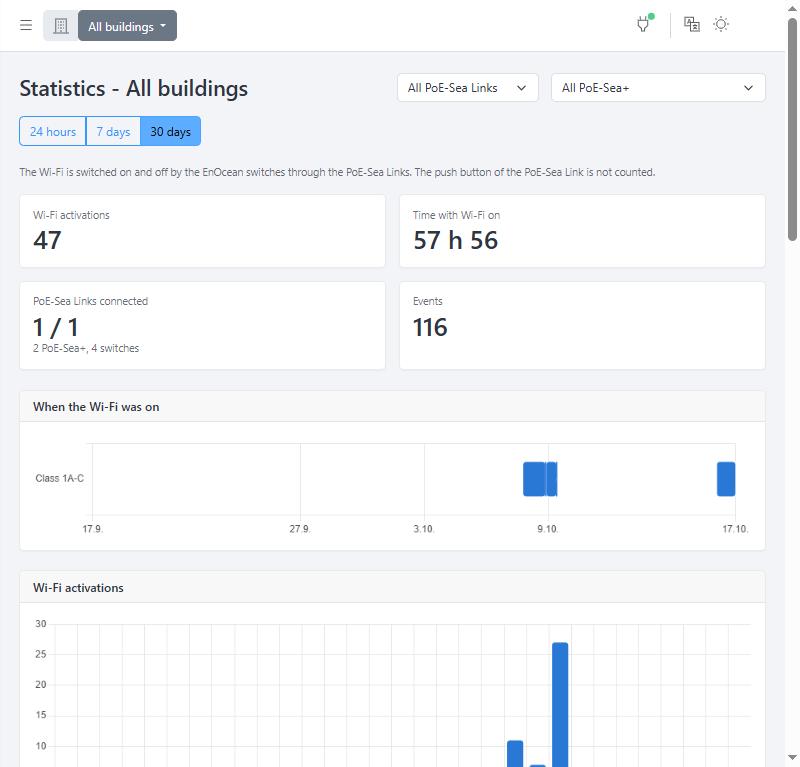
Activations and hours with Wi-Fi on, per day, for one school or for all.
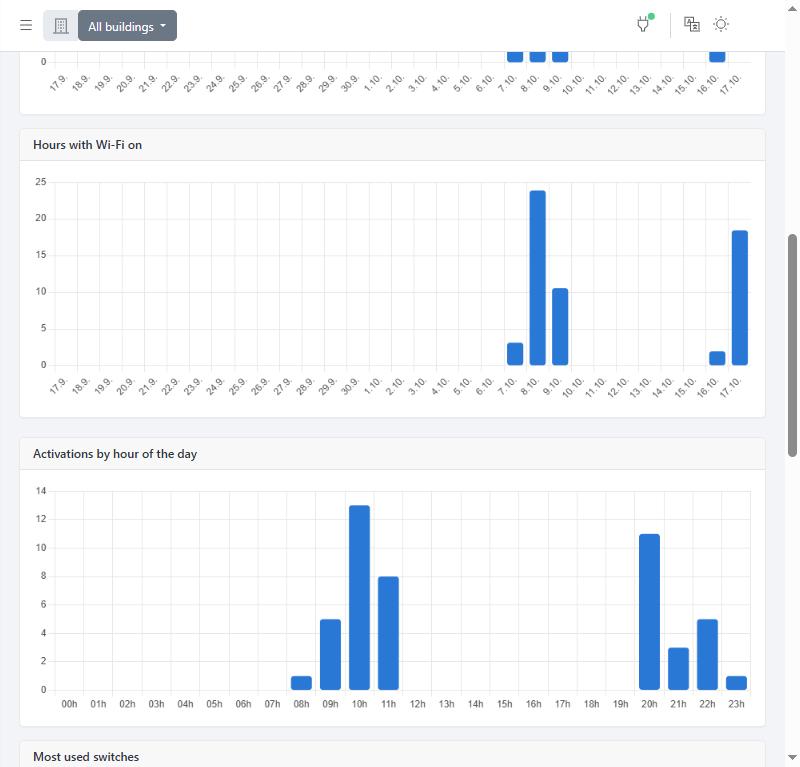
When is the Wi-Fi used? The activations per hour of the day reveal the use in the evening.
Network map
The network map draws the PoE-Sea Link, the PoE-Sea+ and the battery-free switches of a building. It shows which switch is heard by which PoE-Sea+, the strength of the radio signal and the PoE voltage of each device: a weak link or a missing voltage is found at a glance.
Wi-Fi when the pupils need it, not 24/7
up to 85% less electricity for the access points, when the Wi-Fi is only on during the school hours.
batteries in the switches: they are powered by the press of the finger.
cloud service for all the schools, with the statistics to document the use of the screens.
Would you like to try PoE-Sea in your school?
Tell us how many schools and access points you have. We propose a solution and a test in one or more classrooms.
Contact us Already a customer? Log in